Kaash CallingYour private team, together.
YOUR TEAM. ANYWHERE.

A little closer.
On your devices.

Private messages, shared files and team calls.
See how your team comes together.
Private team chatAudio & video callsScreen sharing
A look inside KaashInside the app
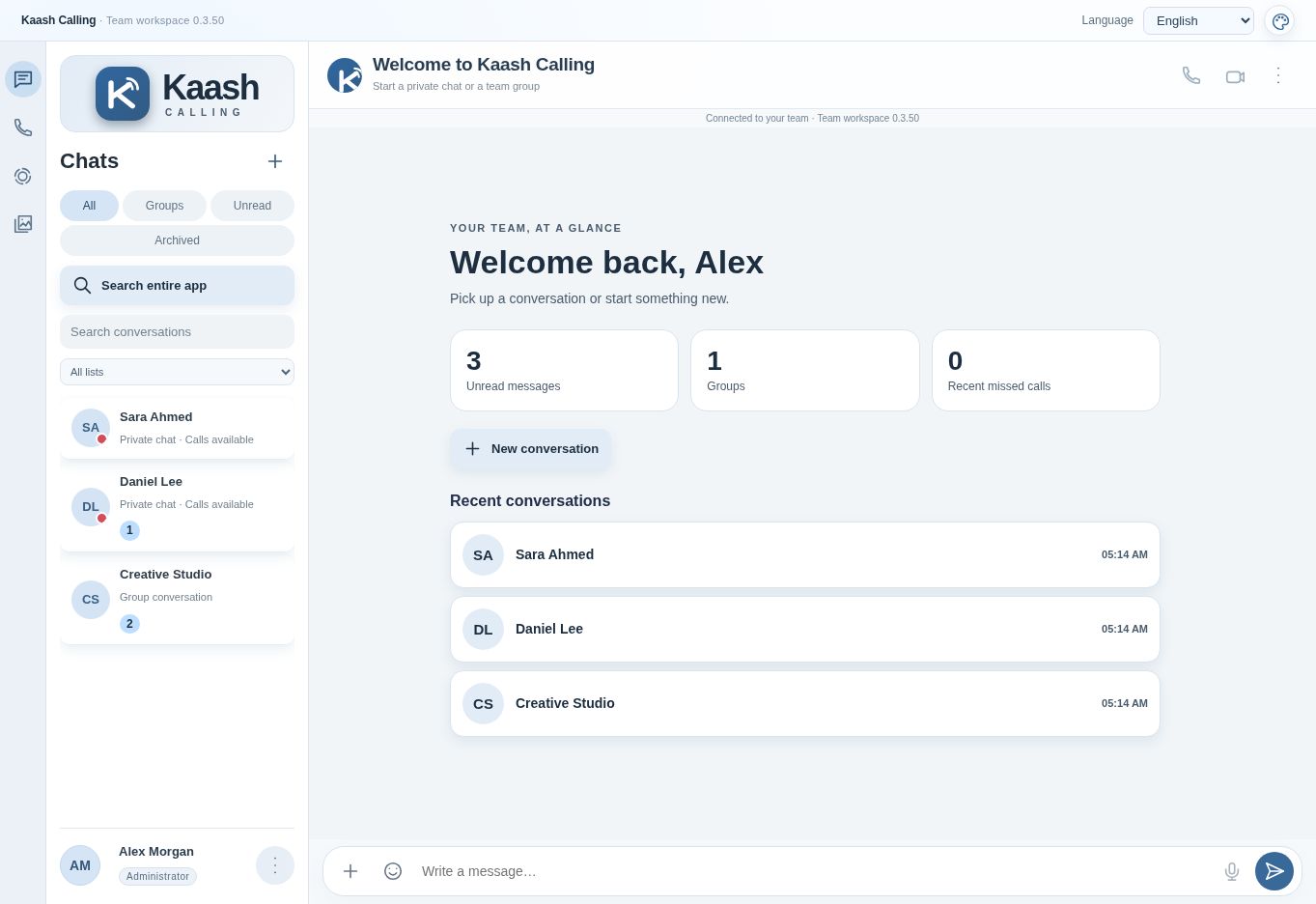
Your team welcome screen, shown in the actual Kaash Calling interface with fictional contacts
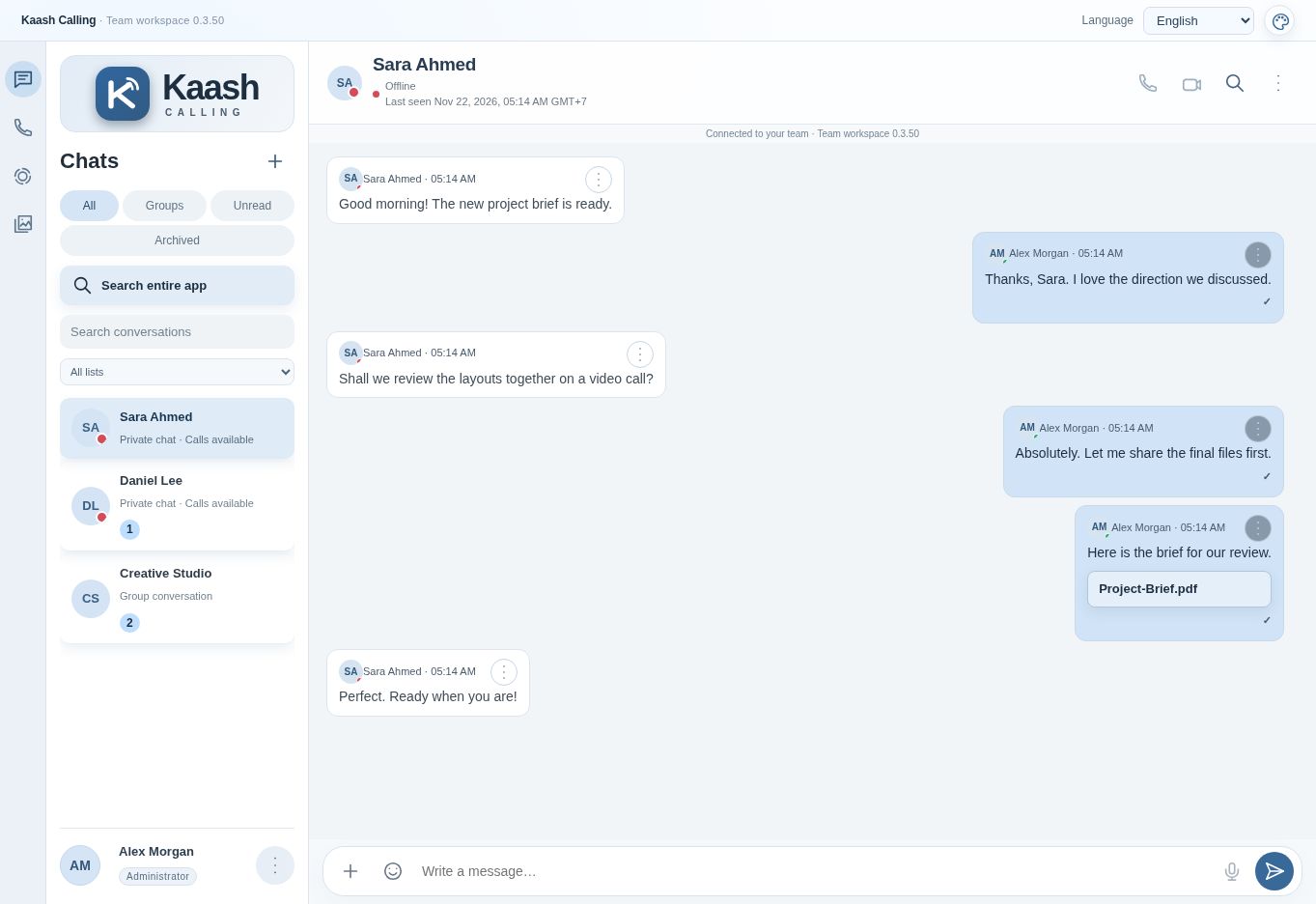
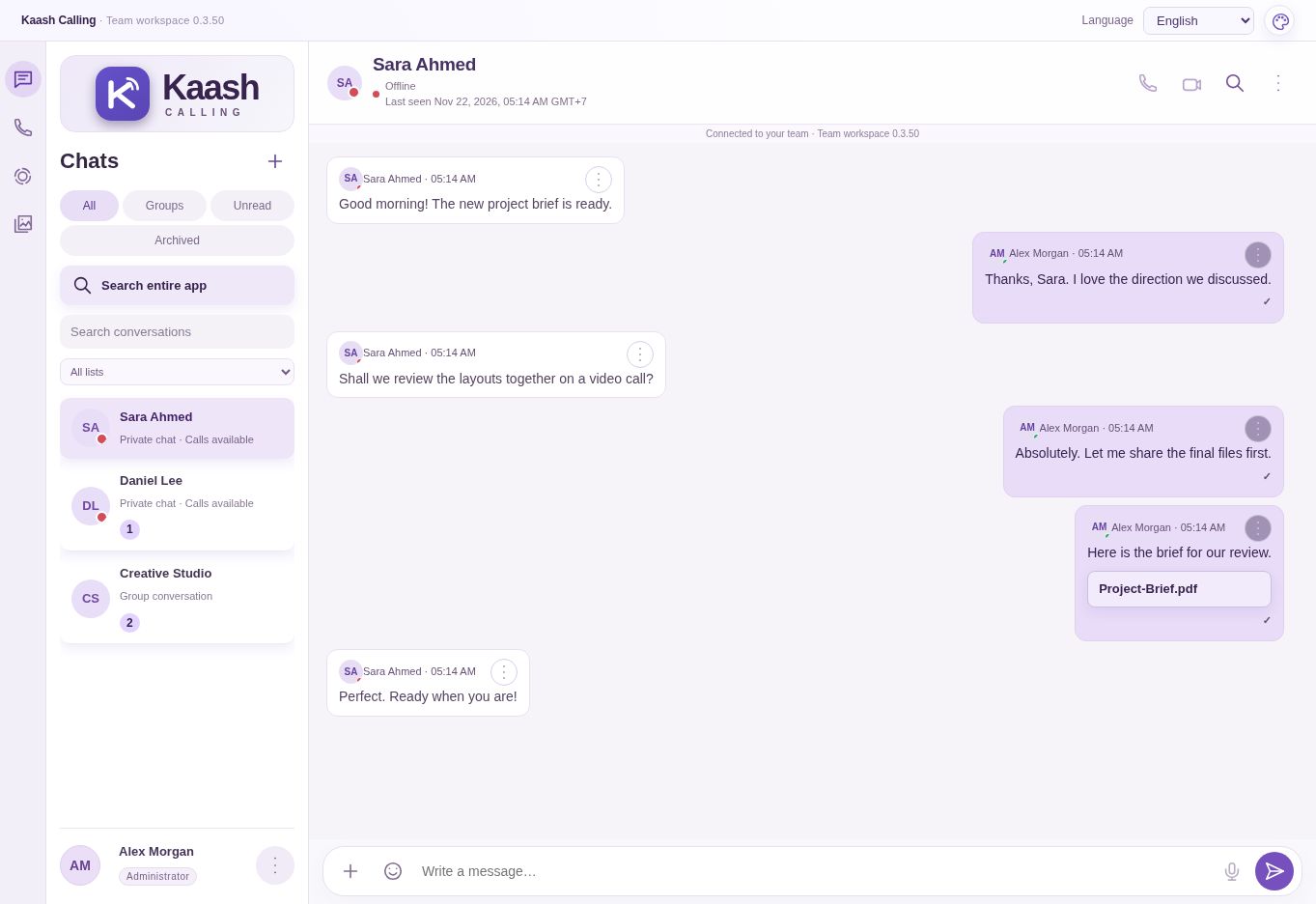
Private chat and shared files, shown in the actual Kaash Calling interface with fictional contacts
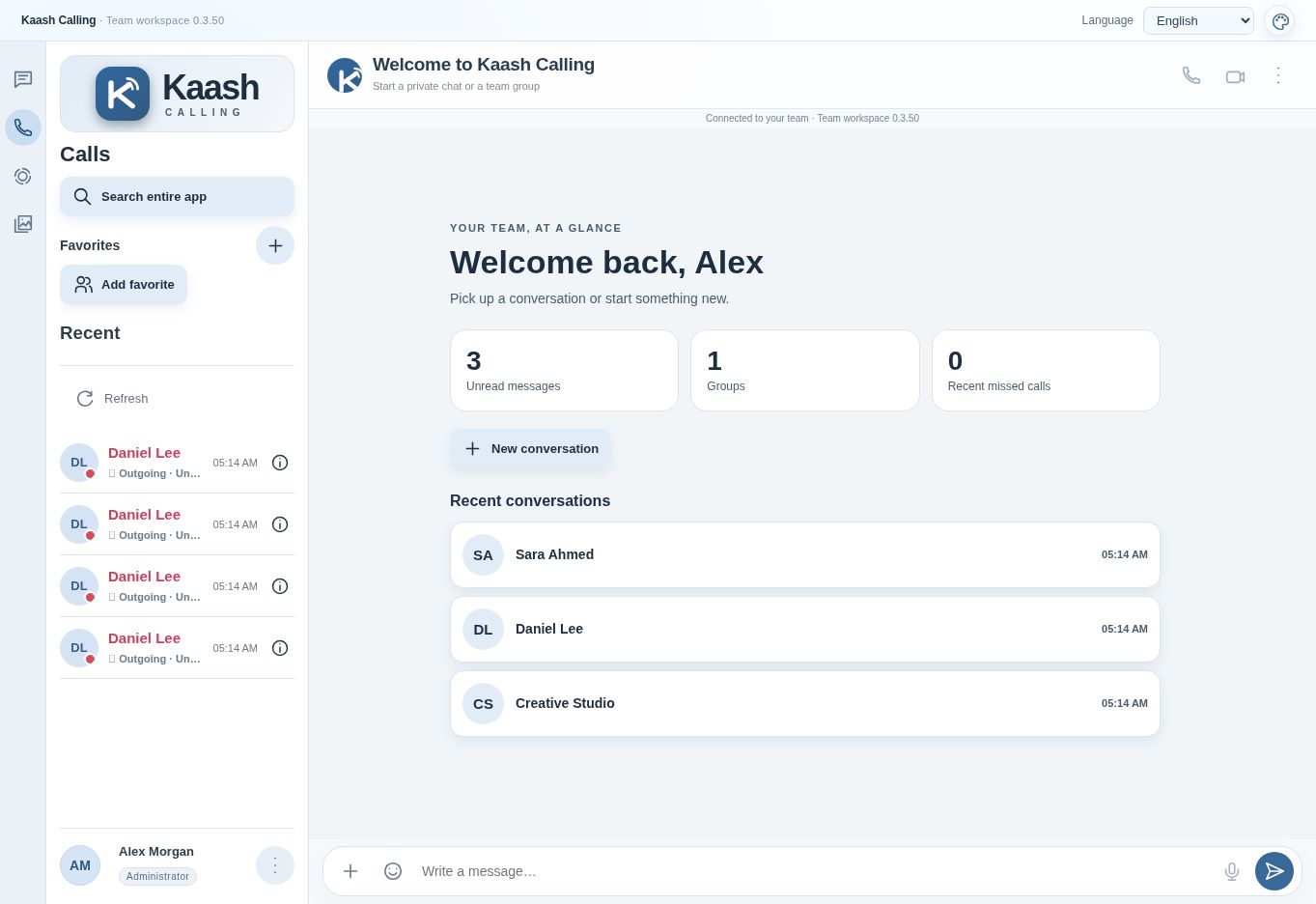
Recent calls, shown in the actual Kaash Calling interface with fictional contacts
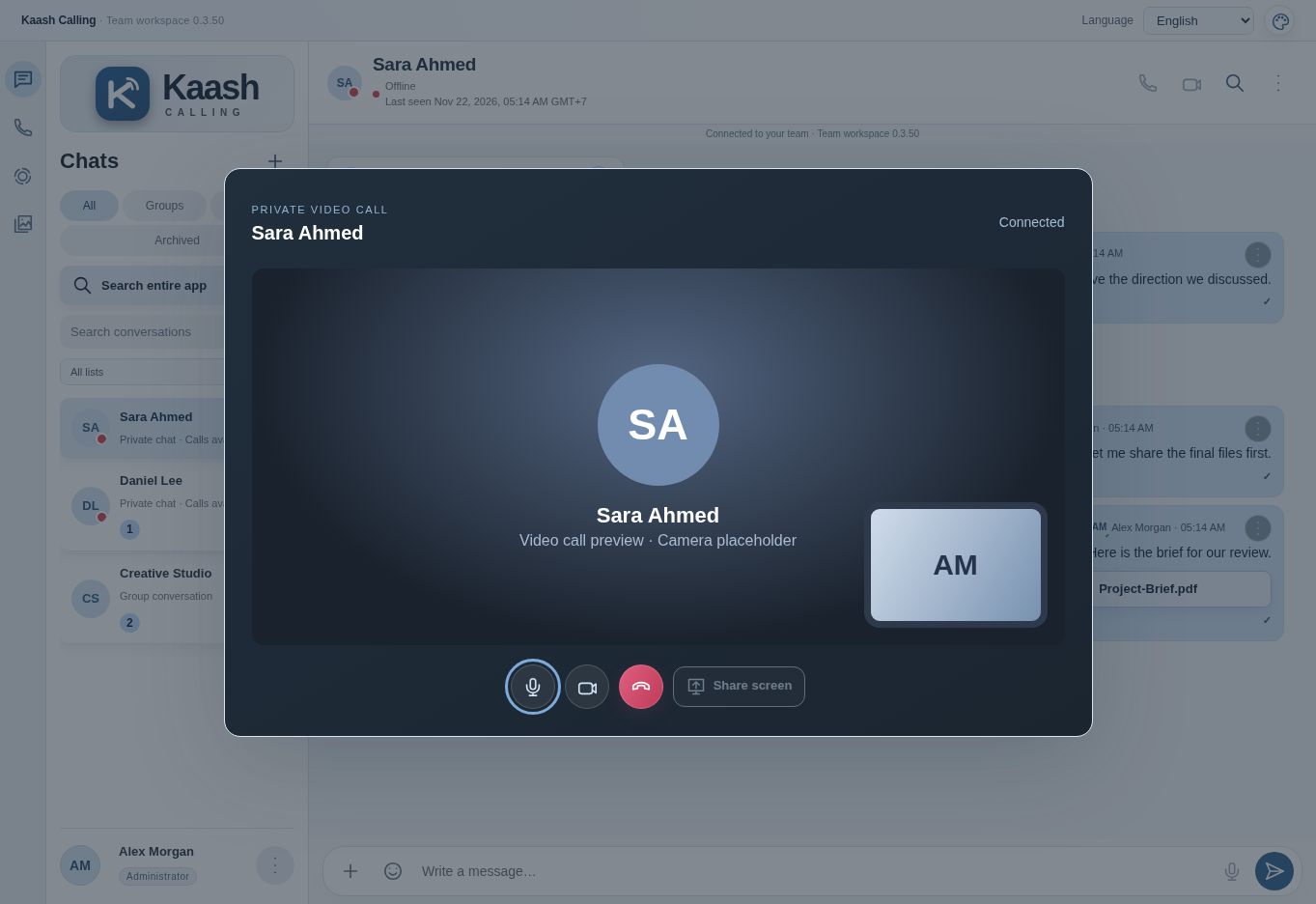
Video calling interface, shown in the actual Kaash Calling interface with fictional contacts
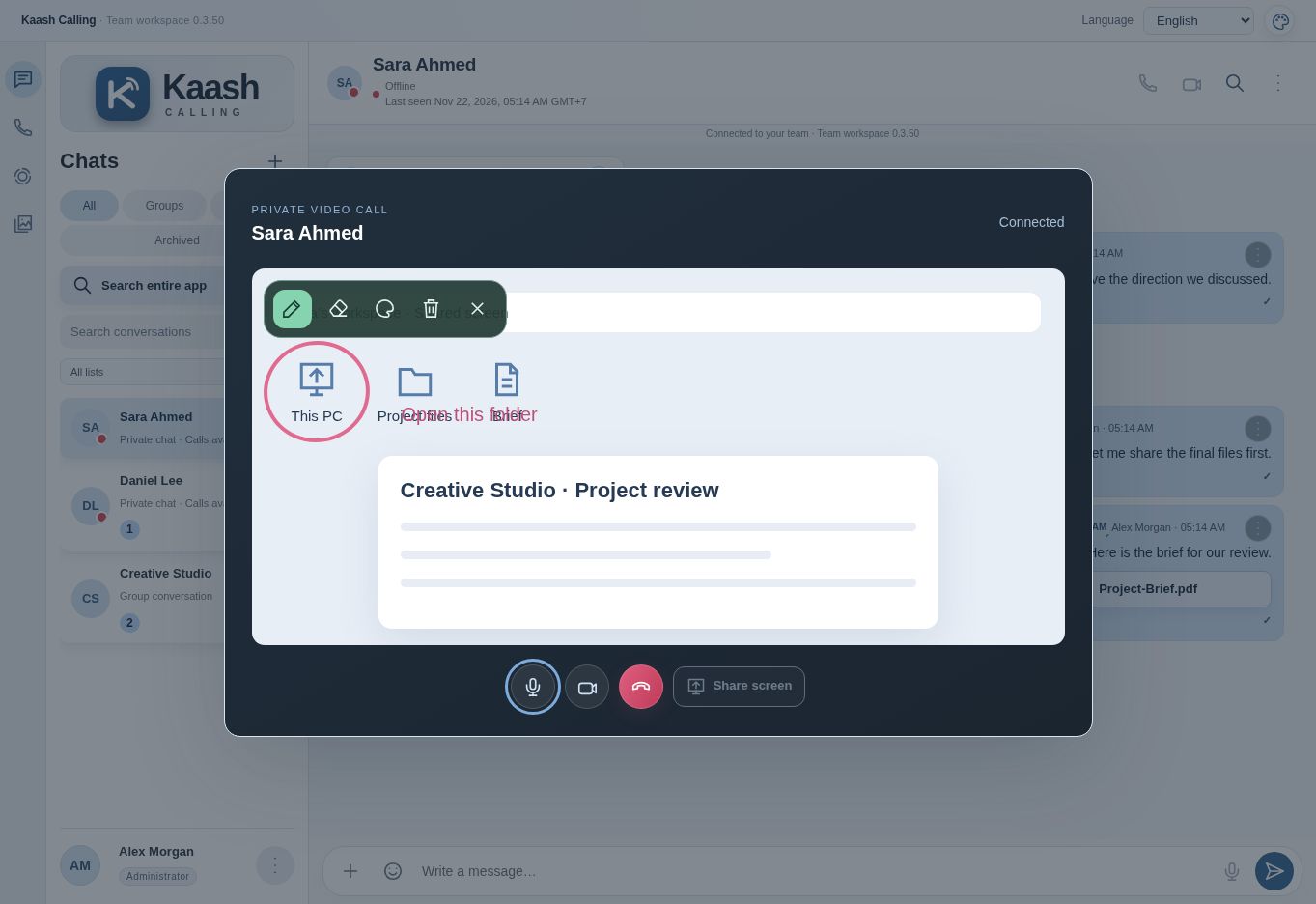
Screen sharing and annotations, shown in the actual Kaash Calling interface with fictional contacts
Kaash Calling chat interface with fictional contacts in the selected colour theme
App preview · Sample conversations

Your conversations, together.

A familiar chat experience on desktop and Android, with your team always close.

One team. Your choice of device.

Choose your app and keep the conversation going.

⊞

Windows

Windows 10 / 11 · 64-bit

Checking version…TEST BUILD
Checking download…

Checking latest download…

Android

Android 8.0 or newer

Checking version…PREVIEW
Checking download…

Checking latest download…

iPhone

iOS · Personal preview

Checking version…TEST BUILD
Checking download…

Checking latest download…

Install with AltStore on Windows. This preview is not an App Store release.

↻

Latest versions. Clear updates.

Windows checking… · Android checking… · iPhone checking….
See what changed with each release, including new features and improvements.

What’s new

Windows 0.3.70 · Android 0.1.0-alpha34 · Notifications and mobile web
  • Optional Android background notification registration, message and incoming audio/video call alerts. Requires service configuration, notification permission and device acceptance testing before rollout.
  • Windows keeps running in its notification area when the window is closed. Quit stops connections.
  • Mobile browser uses one conversation pane, Back to chats and balanced sign-in forms.
  • Invitations open the app directly and identify the inviting administrator by name and email.
  • Camera capture does not wait for slow device enumeration. Dynamic translations process changed content without scanning the full page on every English update.
Windows 0.3.68 · Android 0.1.0-alpha32 · Remote control stability
  • Approved remote-control sessions tolerate short connection interruptions and temporary heartbeat delays.
  • Pointer movement is coalesced when the native input bridge is busy, while clicks, key releases and text stay ordered.
  • Android screens that refuse one tap or text action no longer cancel the entire approved session.
  • Old heartbeat and input replies cannot stop a newly approved session. Local Stop controls, screen-share checks and permission expiry remain active.
Windows 0.3.67 · Android 0.1.0-alpha31 · Automatic reliability reports
  • Open Settings → Reliability & reports to enable optional automatic technical crash and performance reports. Reporting starts only after you enable it.
  • Android saves sanitized Java crash details and supported system crash/ANR reasons for delivery after reopening and successful sign-in.
  • Windows and web include runtime error reports and sampled startup/API response timing.
  • Team administrators can open Reliability dashboard. Send a test report checks delivery without crashing the app.
  • Reports exclude chat, passwords, files, recordings, request URLs and screen content. Switching reporting off deletes your stored reports. Privacy Policy revision 4 explains the details.
Windows 0.3.66 · Android 0.1.0-alpha30 · Keep your account, delete selected data
  • Open Privacy & account and choose Delete selected data, keep my account.
  • Request removal of existing sent messages/uploads, optional profile information, statuses or saved scheduled messages.
  • Verify the original account, review the selected counts and confirm with the current password. Your account, sign-in and team membership remain.
  • Team administrators can review and process verified client requests in Privacy & support inbox.
  • Windows 64-bit, Windows 32-bit and the Android APK now include these controls and the updated privacy pages.
Windows 0.3.64 · Android 0.1.0-alpha28 · Sign-up, recovery and team privacy
  • Sign up opens in your default browser from Windows and Android. The sign-in screen has a clear sign-up button with icons.
  • Forgot password supports both Admin and Client accounts through private, single-use email links that expire in 30 minutes. Choose the correct team; a reset signs out prior sessions and preserves account restrictions.
  • The developer panel manages outside registered administrators and your own team members. Each outside administrator manages their private members; those member lists and emails are not displayed in the developer panel.
  • Outside administrator accounts can be blocked, unblocked or removed with current-password confirmation. Shared history and other team members remain.
  • The sign-up description now says Developer approval. Background push remains unconfigured; these preview builds still need real-device installation checks.
Windows 0.3.63 · Android 0.1.0-alpha27 · Accounts and teams
  • Request your own admin account from Sign up. A new team can sign in only after the service operator approves the request.
  • Choose Admin Sign In or Client Sign In. The same email can have separate memberships and roles; choose a team when more than one matches.
  • The service operator can approve or reject requests, block an account for misuse and restore it after reviewing a clearance. Blocking ends sessions and retains chats.
  • Separate team data and private email invitation links keep members in the correct workspace. The Android and Windows updates include these sign-in controls.
Windows 0.3.61 · Android 0.1.0-alpha25 · Privacy and account controls
  • Read the published Privacy Policy, Terms, Security, Support and Account & Data Deletion pages. The in-app policy reader includes full data and retention tables.
  • Delete your account and associated data after current-password confirmation, or submit a verified deletion request from the public website without signing in.
  • Report a message or user and check support/privacy replies with a private receipt. Authorized administrators review requests in Privacy & support inbox.
  • Current terms and age 18+ confirmation are required before sharing content. Screen sharing and remote assistance retain their separate consent controls.
  • Windows 64-bit, Windows 32-bit and Android downloads are updated. Existing iPhone users can reopen the app for the hosted changes; no new native IPA is published.
  • Background push remains unavailable. Physical-device acceptance and Google Play review are separate steps.
Windows 0.3.59 · Android 0.1.0-alpha23 · Front and back camera
  • Use the camera-and-arrows icon to switch between front and back cameras in Photo or Video mode. The button has no visible text label.
  • Your selected camera stays selected when you change between Photo and Video. Switch lenses before recording; the control is locked while a clip is recording.
  • Mirror is an icon-only control. Saved photos and videos now match the selected live view, including mirrored recordings with microphone sound.
  • Attachment icons and their captions now share equal rows, so one-line and two-line names stay aligned. Delete confirmation actions have clear spacing.
  • Single-camera computers keep their available camera without an unnecessary switch. Existing iPhone users can reopen the app and use its conversation Camera shortcut for the shared capture controls.
  • Includes the previous video previews and media corrections. Physical-device recording, playback and installation still need acceptance testing.
Windows 0.3.58 · Android 0.1.0-alpha22 · Video previews and camera finishing
  • Sent videos show a picture preview, Play button and duration in private and group chats. Tap a preview to open the player.
  • Selfie preview follows your movement. Mirror preview is adjustable; saved photos and recordings retain their original orientation.
  • All attachment menu icons are visible, including Camera, Photos & videos, Audio, Contact, Poll, Event, stickers and Schedule text.
  • Includes the Android attachment-sheet and Photo/Video switching corrections. Camera contains both modes; review a clip before Send.
  • Windows 64-bit and 32-bit are available through Check for updates and below. The latest Android APK is also available below.
  • The installed iPhone preview receives hosted chat/media improvements. Native preview7 source remains prepared pending owner approval for its GitHub upload and build.
  • Test release: automated checks passed; actual device recording/playback and Windows installation still need owner testing. FCM setup remains pending.
Windows 0.3.56 · Android 0.1.0-alpha20 · iPhone chat improvements
  • Record a short video from the chat camera: choose Photo or Video, review the clip, then tap Send. Available in private and group conversations.
  • Camera recordings are limited to one minute and the existing 20 MB attachment limit. The prepared native iPhone update adds MP4 camera clips with sound.
  • Open contact, group and personal profile pictures in a separate large view. Circular thumbnails stay complete, with a subtle Edit control outside the crop.
  • Camera and microphone stop when recording is cancelled or the conversation changes. Existing screen sharing and remote assistance remain available.
  • Windows 64-bit and 32-bit installers and the Android APK are available below. These are test builds; physical-device recording, playback and installation checks remain pending.
  • At this release, native iPhone preview6 was prepared but its Mac build did not complete. Installed previews received a temporary Record video shortcut through the hosted interface.
  • Firebase background notifications are still awaiting project setup; this update does not activate them.
Android 0.1.0-alpha19 · Clear remote assistance consent
  • Added a native English and Urdu disclosure before opening Android Accessibility settings. You can decline and continue using chat and calls.
  • Each remote-control session requires local approval for the current screen share. Old or expired approvals cannot control a new session.
  • Improved consent waiting time and translated the floating Stop control. Preview signing remains compatible with earlier test APKs.
  • This is a test update. Play Protect installation and real-device checks are still required; this release does not claim Google Play approval.
Windows 0.3.55 · Android 0.1.0-alpha17 · Large video fix
  • Open large screen works for live video and screen sharing without requiring remote-control availability.
  • View the same live video in a frontmost workspace, zoom, fit and close back to the call.
  • Remote clicks and typing still require the screen owner’s explicit approval.
Windows 0.3.55 · Android 0.1.0-alpha17 · Large shared-screen workspace
  • Incoming screen shares now open in a frontmost, full-window view on Android and desktop, with remote control and drawing on the same live screen.
  • Zoom up to 300%, Fit screen, Close large view and Open large screen controls. Closing the large view returns to the call without ending it or stopping sharing.
  • Original video and input surfaces are preserved. Ending sharing or disconnecting restores the call layout.
Windows 0.3.53 · Android 0.1.0-alpha15 · Visible remote controls
  • Moved the direct-call remote control toolbar outside the clipped video area so Request control remains visible below the picture on Windows and Android.
  • The button now explains that the other person must share their screen, and becomes available when their native screen share is received.
  • Per-session approval and Stop control remain required. Physical-device remote-input testing is still pending.
Windows 0.3.52 · Android 0.1.0-alpha14 · Call startup fix
  • Fixed outgoing audio and video calls failing with “Cannot read properties of null (reading 'room')” after the remote assistance update.
  • Participant information is now resolved from the active call operation before a call record exists. Added outgoing audio/video regression tests.
  • Remote assistance remains experimental; physical-device interoperability testing is still pending.
Windows 0.3.51 · Remote assistance preview
  • Request control during a screen-sharing call. The screen owner must approve in Kaash and in a local Windows permission dialog.
  • Mouse, scrolling and keyboard input on the selected shared display. A floating Stop control button and Ctrl + Alt + Shift + F12 stop the session.
  • Control ends when sharing stops, the call disconnects or the control heartbeat expires.
  • Experimental build: physical Windows and Android interoperability testing is still required. Elevated or protected Windows screens may block input.
Android 0.1.0-alpha13 · Remote assistance preview
  • Control a shared Windows screen from your phone, or request permission to control a shared Android phone.
  • Optional Android Accessibility service for approved taps, swipes, Back, Home, recent apps and text in supported non-password fields.
  • The phone owner enables the service manually and separately approves each control session. A visible STOP button remains available.
  • No unattended access. Screen sharing must be active; rotation or expired permission ends control.
Windows 0.3.50 · Separate 32-bit support and safer updates
  • Choose the correct 32-bit or 64-bit installer in one place.
  • Architecture checks prevent installation of an incompatible update.
  • Recent releases include screen annotations, voice recording gestures and selecting several messages for deletion.
Android 0.1.0-alpha12 · Screen sharing and annotations
  • Screen capture permissions and sharing notification.
  • Pen marks over the shared phone screen after overlay permission is granted.
  • Pen and eraser controls with drawing cleanup when sharing ends.
Shared service · Keep your chat history
  • Automatic message deletion is disabled. Manual deletion remains available.